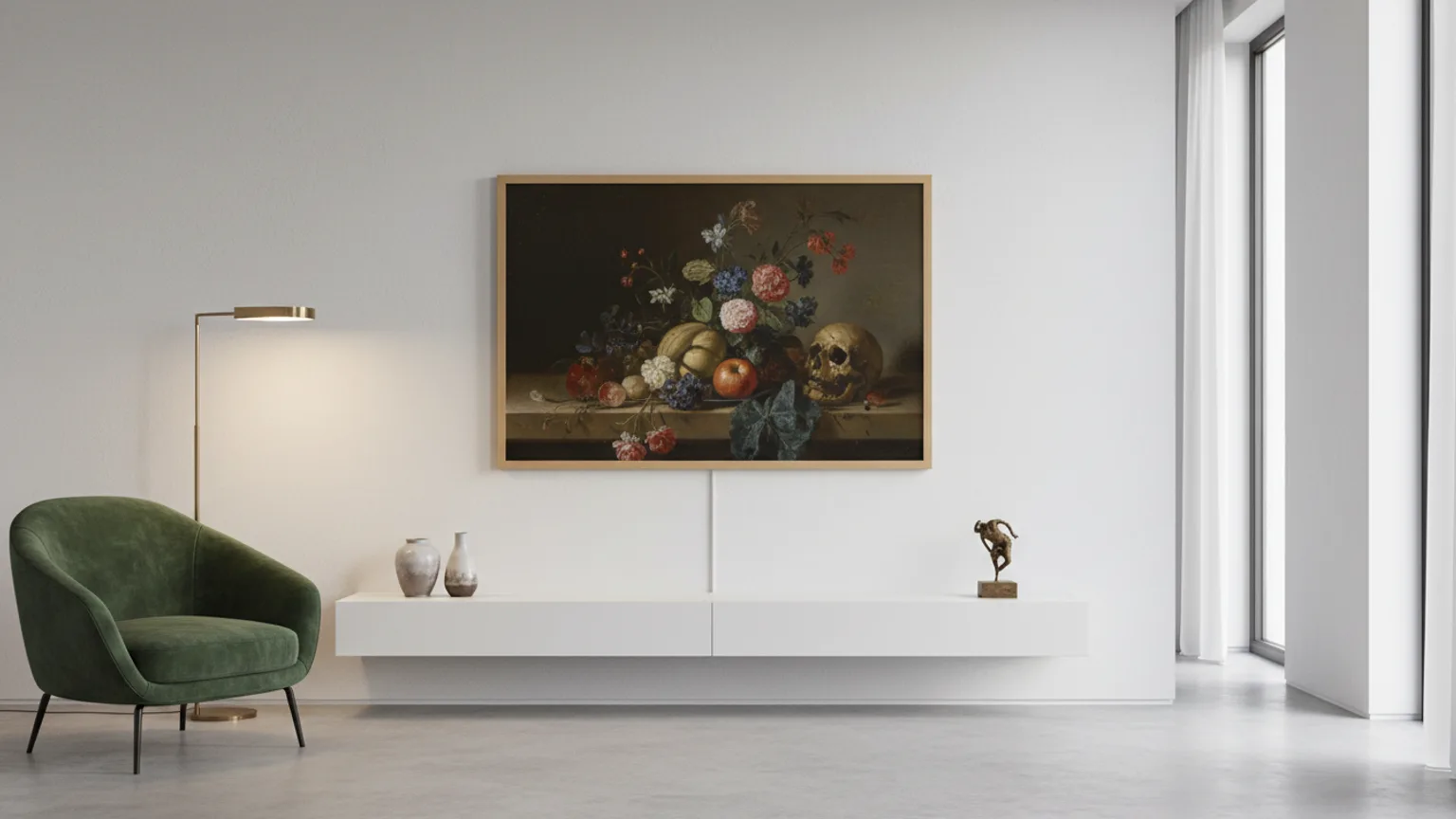
The Samsung Frame TV is specifically designed to look like a framed artwork on the wall. Mounting it correctly — using Samsung's own No-Gap Wall Mount — is the most reliable way to achieve the flush, picture-on-wall result the Frame is made for. This guide explains what makes Frame installation different, what the No-Gap mount does, how the One Connect Box works, and how to get the height right for Art Mode.
What makes the Samsung Frame TV different to mount
At first glance the Frame TV looks like any other flatscreen. But it has three design features that change how it should be installed:
- The No-Gap Wall Mount — Samsung's own bracket that places the TV literally flush against the wall surface, with a gap of 0–5mm. Standard third-party brackets do not match this profile. Third-party brackets leave a visible 20–40mm gap that immediately breaks the picture-frame illusion.
- The One Connect Box — Instead of all cables plugging directly into the TV, a single thin "One Connect Cable" (about 5mm diameter) carries everything between the TV and a separate One Connect Box that holds all the ports. This means the TV itself has almost no visible cables — only the one thin connection at the back.
- Art Mode and viewing height — The Frame displays curated artwork when not in use. The best height for Art Mode is slightly different from the ideal TV viewing height, which affects the mounting decision.
The No-Gap Wall Mount — what it is and how it works
Samsung's No-Gap Wall Mount (model WMN-M11E or WMN-M23E depending on model year) is a slim metal plate that mounts to the wall and uses a proprietary clip system to hold the Frame TV with virtually no visible gap. The mount is recessed so the TV's bezels sit directly against the wall surface.
The key difference from a standard bracket: the No-Gap mount has no adjustable arm, no tilt, and no swivel. It is a completely fixed, ultra-slim plate. The Frame TV clicks onto it and sits absolutely flat. This is why positioning must be exact before drilling — there is no post-installation adjustment.
Compatibility: Samsung has released different No-Gap mount versions for different Frame generations and sizes. Always verify the exact model year of your Frame TV and the corresponding mount version before ordering. We check this as part of our Samsung Frame installation service.
The One Connect Box — where does it go?
The One Connect Box is approximately the size of a thick paperback book. It contains all the input ports: typically 4× HDMI 2.1, 2× USB, ethernet, optical audio, aerial/satellite. Everything you would normally plug into the back of a TV connects to this box instead.
A single One Connect Cable — thin enough to be almost invisible, around 5mm diameter — runs between the box and the TV. On the 2021+ Frame models, this cable can be routed through a channel in the No-Gap mount and then along the wall surface or through the wall cavity, making it nearly invisible.
Common One Connect Box placement options:
- Inside a media unit directly below the TV — the most common choice. The cable drops behind the TV and into the back of the unit.
- In an alcove shelf adjacent to the chimney breast — ideal for chimney breast installations where an alcove unit houses the media devices.
- Behind the wall (in-wall routing) — the cleanest option. The One Connect Cable is routed through the wall cavity to a discreet opening near the media unit. This requires wall work but produces a truly wireless-looking installation. See our cable hiding service.
- On a floating shelf below the TV — less common, but works if no media unit is available.
Art Mode height — how it affects mounting position
Art Mode is the feature that makes the Frame display artwork, photography, or a blank canvas when you are not watching TV. The Frame stays on (at very low brightness) showing the artwork — designed to look like a framed picture on the wall.
Artwork is typically viewed standing or walking past, not sitting 3 metres away. The ideal viewing height for Art Mode is therefore slightly higher than the standard seated TV viewing height. We recommend:
- Primarily a TV, occasionally Art Mode: mount at standard eye level — centre of screen at 105cm.
- Regularly used as Art Mode display: mount slightly higher — centre at 110–120cm. This looks more like a real framed piece at walking height.
- Above a mantelpiece or fireplace: the fireplace surround usually dictates the height. Use the Art Mode display to your advantage — artwork above a fireplace is entirely natural.
Frame TV on different wall types
| Wall type | Suitable for No-Gap mount? | Notes |
|---|---|---|
| Solid brick | Yes — ideal | Most secure. Very precise drilling required given zero adjustment post-install. |
| Plasterboard (studs found) | Yes | Must fix into studs. No-Gap mount has a narrow fixing pattern so stud location is critical. |
| Plasterboard (no studs) | Yes with heavy-duty anchors | Requires grip-it or toggle bolt anchors rated well above TV weight. We assess before drilling. |
| Concrete | Yes | SDS drill required. Precise positioning essential. |
| Tile or glass | No | Not suitable for the No-Gap mount. Alternative solutions available on request. |
What our Frame installation includes
When you book our Samsung Frame TV installation service, we handle:
- Compatibility check — confirming the correct No-Gap mount version for your Frame model year and size
- Precise wall marking and positioning — checking for pipes, cables, and studs before drilling
- No-Gap mount installation with correct fixings for your wall type
- Frame TV hang and level check
- One Connect Cable routing — trunking, in-wall, or behind media unit
- All devices connected to One Connect Box and tested
- Art Mode setup and calibration
- Full area cleanup
FAQ
Can I use any bracket for a Samsung Frame TV?+
Technically yes — the Frame TV has standard VESA mounting holes and any compatible bracket will physically fit. But any bracket other than Samsung's own No-Gap Wall Mount will leave a visible gap between the TV and the wall, which defeats the purpose of the Frame's design. If you want the Frame to look like a framed picture flush to the wall, you need the No-Gap mount. We only recommend and fit the No-Gap for Frame installations.
What is the One Connect Box and where does it go?+
The One Connect Box is a small external unit that contains all the input ports (HDMI, USB, ethernet, aerial) for the Frame TV. A single thin "One Connect Cable" runs from the box to the back of the TV — this is the only cable visible at the TV itself. The One Connect Box can be placed in a nearby media unit, alcove shelf, or behind-the-wall cavity. We route the One Connect Cable neatly as part of every Frame installation.
What height should I mount a Samsung Frame TV for Art Mode?+
For Art Mode — where the Frame displays artwork when not in use — the ideal height is slightly higher than the standard viewing position. Art is typically viewed standing or from a relaxed seated position at a modest distance. We recommend mounting the centre of the Frame at 110–120cm for rooms where Art Mode will be used regularly. For rooms where it is primarily a TV, the standard 105cm centre height applies.
Does the Samsung No-Gap Wall Mount work on plasterboard?+
Yes, but the installation requires careful stud location or the use of appropriately rated cavity fixings. The No-Gap mount sits very close to the wall, which means the cable management and fixing positions are less forgiving than a standard bracket. We assess the wall before drilling and use fixings rated above the TV weight.
Which year Samsung Frame TVs are compatible with which No-Gap mount?+
Samsung has released several versions of the No-Gap Wall Mount across Frame generations. The WMN-M11E covers many 2021–2024 Frame models — check Samsung's compatibility chart for your exact model; the WMN-M23E is designed for newer sizes. Always check compatibility with your specific Frame model year and size before ordering. We check compatibility as part of our quoting process.
Ready to have your Frame TV installed? Get a free estimate — tell us your Frame size and model year and we will confirm the right mount and quote the full installation. See our dedicated Samsung Frame TV installation page for full details and pricing.